
DocMagic
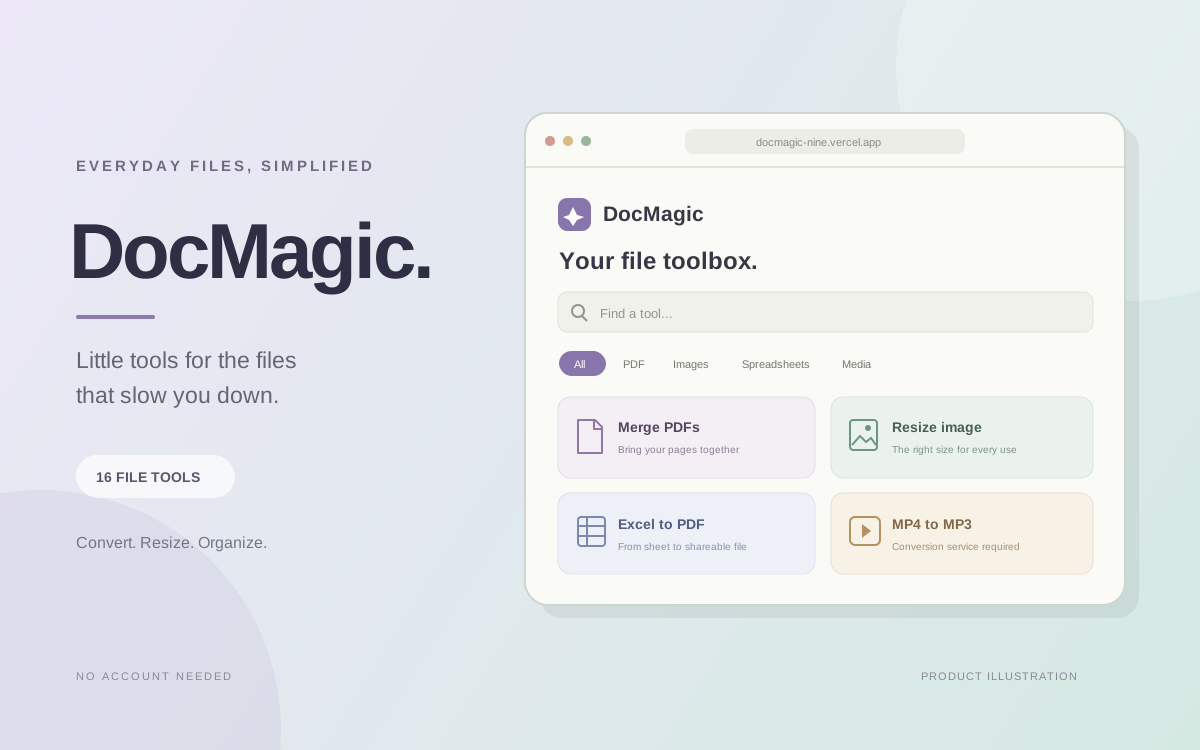
DocMagic brings everyday file tasks into one searchable workspace. Choose a tool, add a file, set the options and download the result without creating an account. Most PDF, image, document and spreadsheet operations run in the browser; media conversion and PDF unlock require a configured conversion service.
- Sector
- File utilities and productivity
- Engagement
- Browser-based file utility website
- Status
- Live website
Project scope
- Bring common PDF, image, document, spreadsheet and media tasks into one workspace without requiring an account.
- Make the right tool easy to find through search and category filters, with a consistent upload-to-download workflow.
- Process supported files in the browser while making service-dependent conversions and their file handling clear.
- Explain conversion limits, including text extraction, image dimensions and file size, before users rely on the output.
Project context
This entry is based on the supplied project name and live website.
Find a tool and add files
Browse 16 tools or search and filter by category. Select a file or drag and drop it into the workspace, set the available options, start the conversion and download the result. Each file must be smaller than 50 MB.
Handle everyday PDF and document tasks
Export PDF pages as PNGs in a ZIP, turn images into a PDF, merge PDFs in selected order, split pages by number or range, or attempt a PDF repair. PDF-to-DOCX and DOCX-to-PDF convert extracted text rather than preserving the original layout or advanced formatting.
Resize images and export spreadsheet content
Resize images with an optional aspect-ratio lock or convert to WebP, JPG or PNG. Convert CSV and the first worksheet of an Excel workbook to PDF. PDF-to-CSV and PDF-to-Excel export extracted page text, not reconstructed tables; scanned PDFs are not OCR-converted.
Keep file handling transparent
Most operations process files directly in the browser without sending them to the conversion API. MP3-to-M4A, MP4-to-MP3 and PDF unlock use a configured conversion service and are unavailable until it is set up. PDF unlock requires a password the user already knows; the file and supplied password are sent to that service.
What we delivered
- A searchable toolbox with 16 tools and category filters
- PDF-to-PNG ZIP export, image-to-PDF, PDF merge, page splitting and best-effort repair
- PDF-to-DOCX and DOCX-to-PDF conversion based on extracted text
- Image resizing with optional aspect-ratio lock and WebP, JPG or PNG conversion
- CSV and Excel-to-PDF conversion, plus PDF text export to CSV or Excel
- Service-dependent MP3-to-M4A, MP4-to-MP3 and known-password PDF unlock
- File selection, drag and drop, conversion options and generated-file downloads
- Home toolbox, About and Support pages
Technology used
- Next.js
- TypeScript
- React
- Tailwind CSS
- pdf-lib, pdfjs-dist and jsPDF
- docx and Mammoth
- ExcelJS
- JSZip
Project information
16 tools
One file workspace
PDF, image, document, spreadsheet and media utilities are grouped into a searchable toolbox with category filters.
No account
Direct conversion workflow
Choose a tool, add a supported file, set the options and download the result without signing up.
Browser-first
Local processing for most tools
Most operations run in the browser. Audio/video conversion and PDF unlock require a configured conversion service.
Under 50 MB
Per-file size limit
Each file must be smaller than 50 MB. Image processing also limits dimensions to 12,000 pixels each and total size to 60 megapixels.
DocMagic combines common file utilities in a consistent, account-free workflow. The project supports browser processing for most tasks and clearly separates operations that require a conversion service. Features and limits are based on the project README; no usage or business outcome metrics were supplied.
Have a similar problem?
Tell us what is slowing you down and we will tell you honestly whether it needs a rebuild or a much smaller fix.